
How to Book
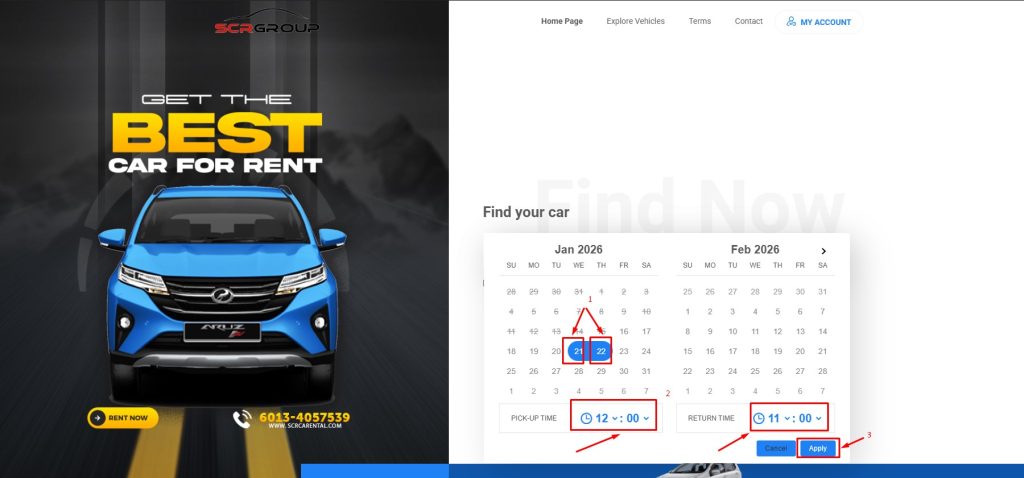
- Choose Pickup Date and Drop Off Date (additional charge will be impose if different location, please refer terms for related location)
- Choose Pickup Time and Drop Off Time
- Click Apply
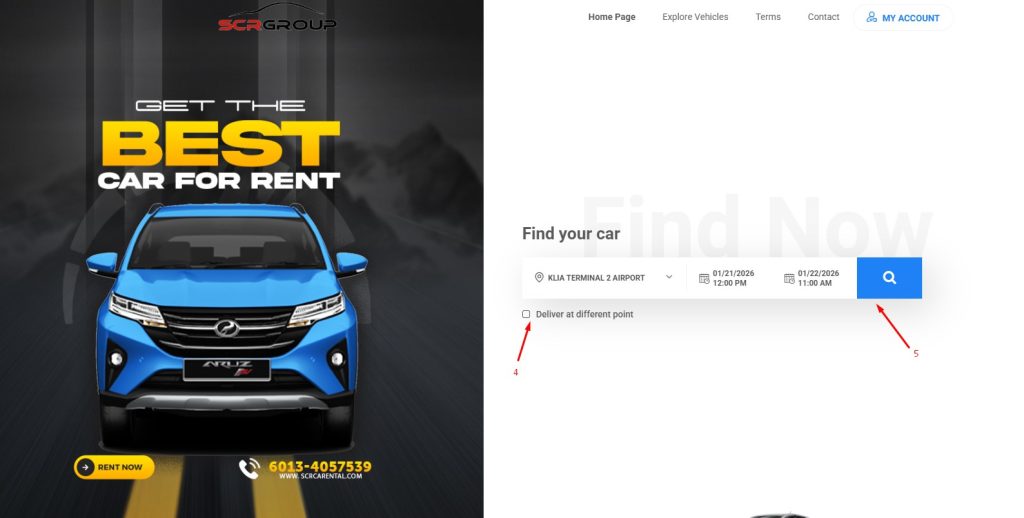
4. Tick Dilever at different location point if dropoff if different location (additional charge will be impose if different location, please refer terms for related location)
5. Click Search button to select Car
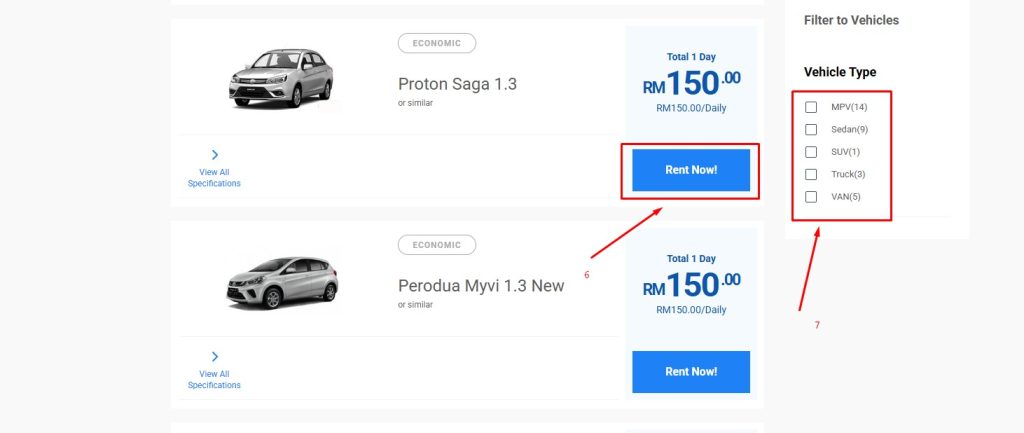
6. Click Rent Now button to select the car
7. if need filter can use this Vehicle Type filter
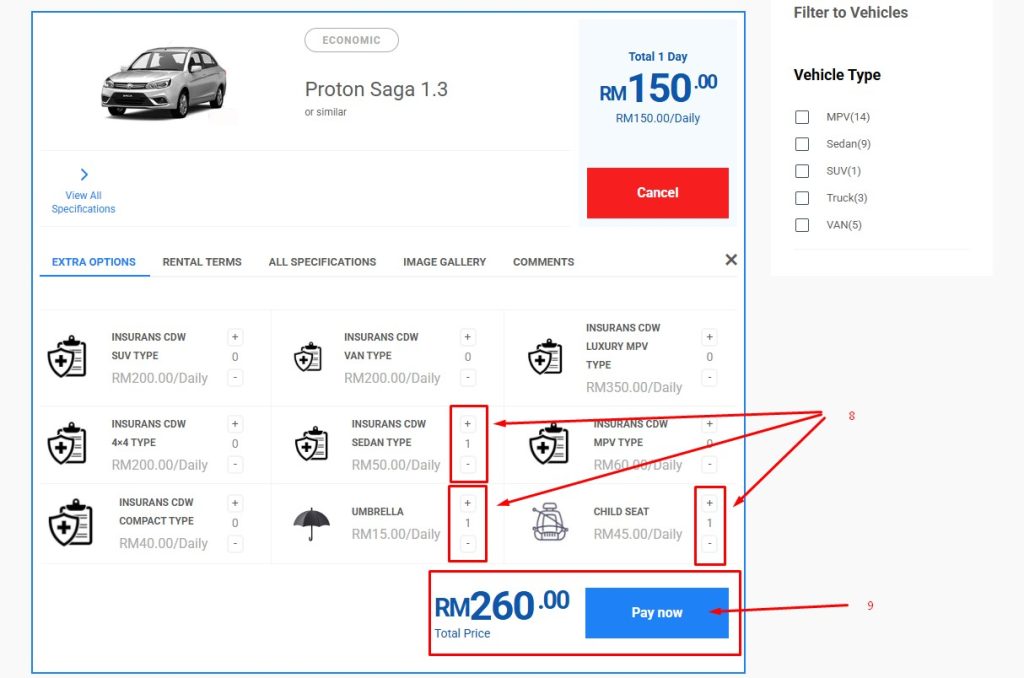
8. Add Insurans / Umrella / Child Seat (if required)
9. Check everything and click pay now button
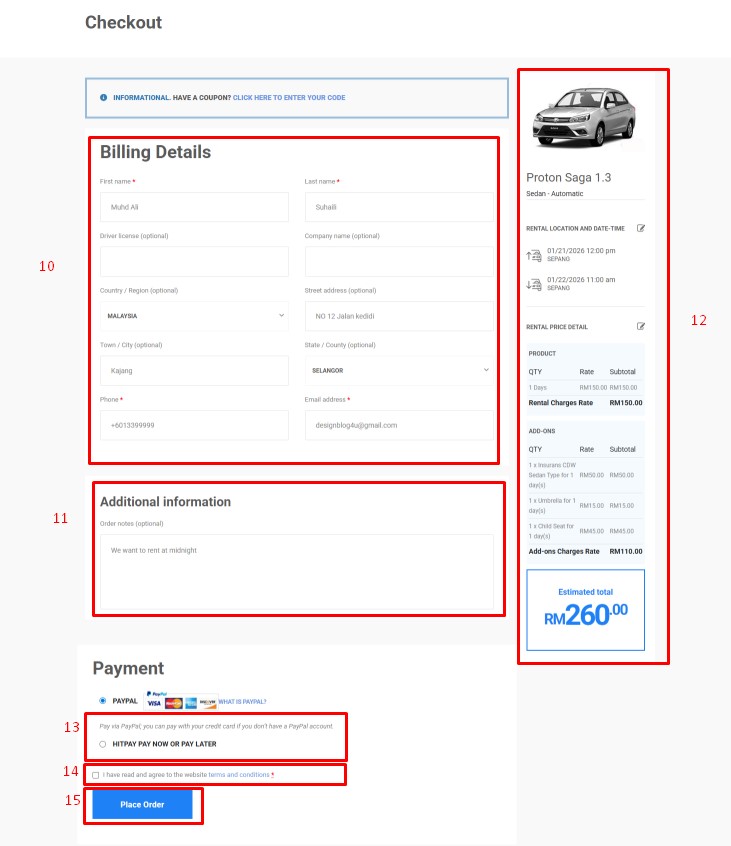
10. Fill in all your information ( please make sure all is valid )
11. Add additional request (if any)
12. Check everything on the pricing
13. Click Pay Now or Pay Later ( if use paypal click paypal)
14. Read all our term and tick if agree to all
15. Click Place Order button
16. Click Complete Payment
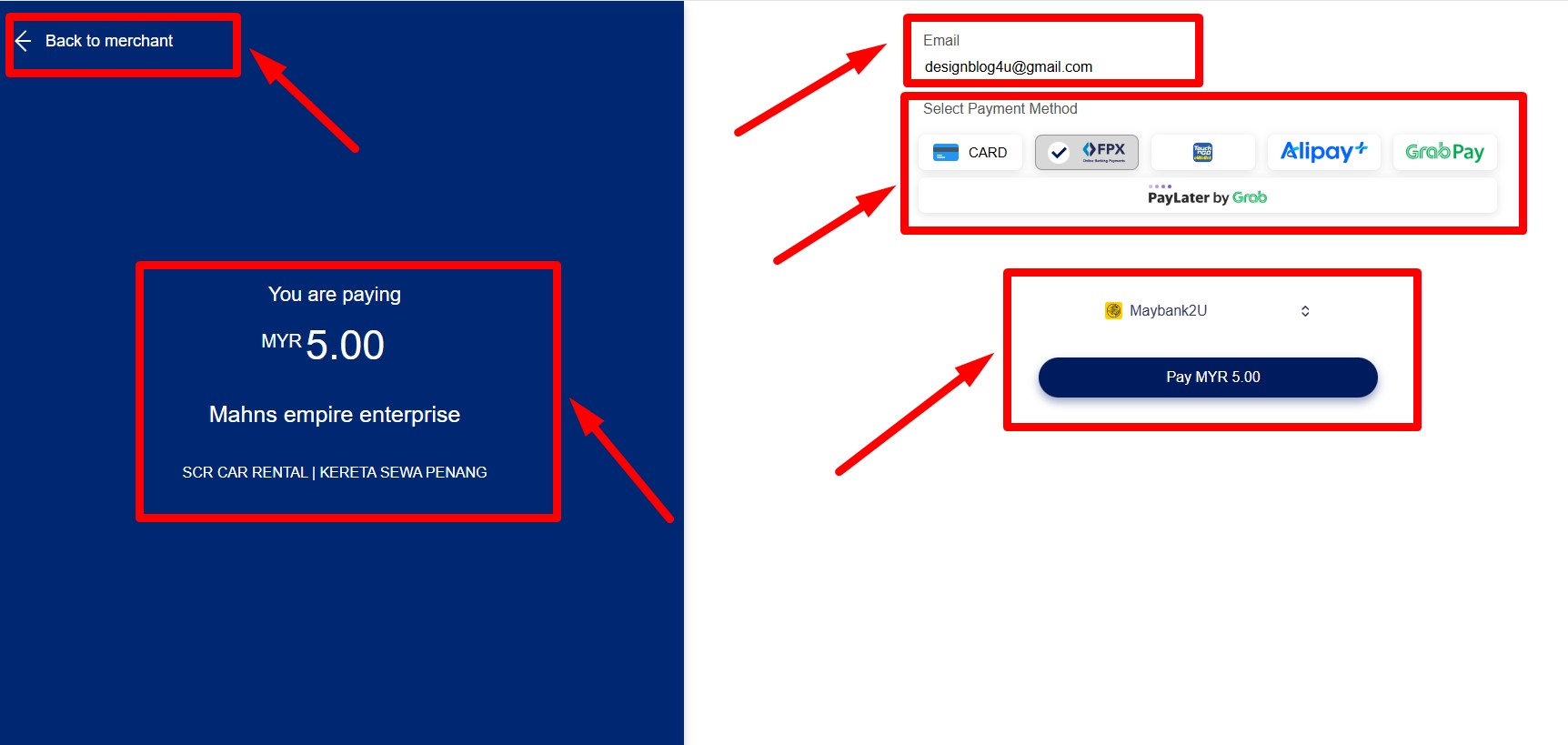
17 . Click the total amount same as order
18 . Select your payment method and continue all the process. Please check all the details before proceed
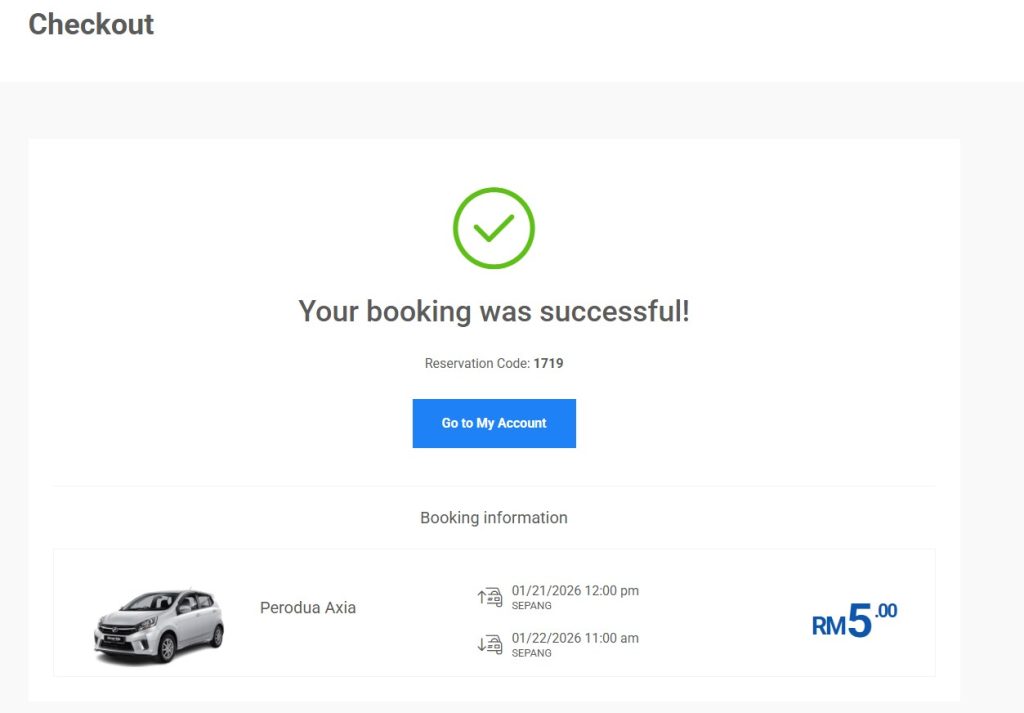
19. Please make sure you get the reservation code and keep the number for your reference.
20. If you need receipt ( Please whatsapp us, we will sent to your Email or Whastsapp)